
Background
GreenGrid Solutions is running a critical Pilot Program for 100 homes. The goal is to test a modern "Smart Grid" system where customers pay different rates based on when they use power.
The Challenge
The project is currently blocked. The sensors are sending messy data (negatives and massive spikes). The
billing team is trying to calculate "Peak Hour" costs in Excel, but they are making mistakes matching the
timestamps. Furthermore, the Compliance Officer just found a spreadsheet containing raw customer emails
on a shared drive, which is a major violation.
Task
As the lead for the Microsoft Fabric implementation, my objective was to replace the broken manual process with an automated data pipeline and PySpark Notebook solution.
My specific responsibilities included:
-
Designing logic to isolate "bad" data (readings <= or >= 100) into a Quarantine_Readings table while retaining valid data for processing.
-
Ensuring compliance with privacy laws by using the SHA-256 algorithm to hash customer emails, ensuring no raw email addresses are stored in the Silver analytics layer.
-
Developing conditional logic to identify "Peak Hour" usage and apply 2X multiplier to the base rate to calculate the final Bill_Amount.
-
Saving the cleaned, hashed, and calculated results into a centralized Delta Table (Silver_SmartBill) for accurate reporting.
Workspace

Sample Codes on Databricks Notebook


Actionables
Importing all the functions and datatypes of pyspark library
Cell 1

The code in cell 2 reads the customer_pii.csv file into a DataFrame named df_pii while treating the first row as a header.
Cell 2

Code snippet in cell 3 ingests the pricing_plans.csv file and uses the inferSchema option to automatically detect the correct data types for each column.
Cell 3

The code in cell 4 defines a strict manual schema (StructType) to ensure the JSON meter data is correctly interpreted with specific types like DoubleType and TimestampType.
It then reads the meter_readings.json file using this schema to handle the incoming "messy" sensor data accurately.
Cell 4

This logic applies the "Quality Filter" by identifying rows where electricity usage is either negative or represents an unrealistic "phantom spike" of 100 kWh or more. These identified "bad" rows are captured in a specific DataFrame named df_quarantine.
Cell 5

This final step saves the filtered-out invalid readings into a permanent Delta Table called 'Quarantine_Readings' within the workspace. It uses the .mode("overwrite") parameter to ensure that the table is refreshed with the most recent set of faulty data during each run.
Cell 6

The code in cell 9 filters the raw meter data to keep only "clean" records where the usage is greater than 0 and less than or equal to 100 kWh.
Cell 7

This complex join combines the clean meter readings with both the customer PII and the pricing plan details based on meter_id and PlanID. It then drops duplicate ID columns to create a single, unified DataFrame containing all information needed for the final bill.
Cell 8

To comply with legal demands, this code in cell 9 applies the SHA-256 algorithm to the CustomerEmail column to create a CustomerHash.
Cell 9

Code snippet in cell 10 extracts the specific hour from the meter reading timestamp to create a new Hour column. This helper column is necessary to determine if a customer's power usage occurred during the "Peak Hour" window.
Cell 10

The below code logic applies the "Smart Pricing" rule: if the hour is between 6 PM (18) and 9 PM (21), the base rate is doubled; otherwise, the standard rate applies. It then calculates the final Bill_Amount by multiplying the usage by the determined rate and rounding to 2 decimal places.
Cell 11

This final step writes the clean, hashed, and calculated billing data into the permanent Silver_SmartBill Delta Table. It then reads the table back into a new DataFrame to display the top rows, proving that the emails are successfully anonymized for the final report.
Cell 12

For validation purposes, we are running the code in cell 13 selecting the top 5 rows from Silver_SmartBill to prove the emails are hashed.
Cell 13

Basic Cleaning & Filtering
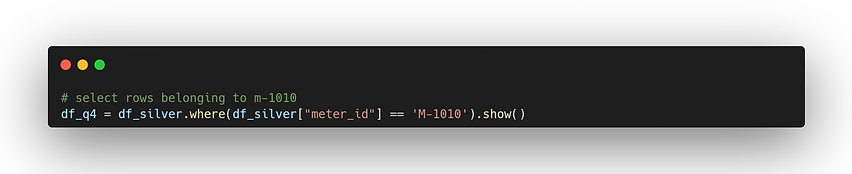
Selecting all rows belonging to meter M-1010
Renaming kwh to Usage_Units.

Creating a dataframe containing only meter_id and Bill_Amount

Removing duplicate rows based on the meter_id column.

Filtering for rows where meter_id is either 'M-1010' or 'M-1020'

Math & Logic (Column Creation)
Creating a new column kwh_doubled that multiplies kwh by 2

Creating a column Estimated_Tax calculated as Bill_Amount * 0.05 (5%)

Add a column System_Type with the constant value "SmartGrid"

Create a column Rate_Category using when/otherwise: If FinalRate > 0.20 then "High", else "Standard".

Creating a column Is_Negative that is True if kwh < 0.

Date & Time Operations
Creating a column Bill_Year extracting the year from timestamp

Creating a column Usage_Hour extracting the hour from timestamp

Creating a column Next_Reading_Time that adds 1 hour to the timestamp
